What is liveness detection, and how does it help stop deepfakes?
Liveness detection confirms a selfie comes from a live person, not a photo, mask or deepfake. Here’s how it works, how it’s attacked and how it’s tested.
Liveness detection is a check that confirms the face in front of a camera belongs to a real person who is present at that moment — not a printed photo, a video on another screen, a mask or a deepfake. In standards language, it falls under biometric presentation attack detection (PAD), and it’s what makes a selfie match meaningful when you verify someone remotely.
A face match on its own only tells you that two images look like the same person. Liveness detection asks a different question: is a living human in front of this camera right now? Below: how it works, the two ways fraudsters attack it, how it’s tested, and what to look for.
What is liveness detection?
The international framework is ISO/IEC 30107-1:2023, a standard from the International Organization for Standardization (ISO) and the International Electrotechnical Commission (IEC) that sets out terms and definitions for presentation attack detection. In the U.S., the National Institute of Standards and Technology (NIST) uses the same vocabulary in its identity proofing guidelines, Special Publication (SP) 800-63A-4 (final, July 2025). The NIST glossary defines a presentation attack as a “presentation to the biometric data capture subsystem with the goal of interfering with the operation of the biometric system.” In plain terms: showing the camera something designed to fool it.
The same NIST definitions describe liveness detection as a subset of PAD methods that involves “the measurement and analysis of anatomical characteristics or voluntary or involuntary reactions to determine whether a biometric sample is being captured from a living subject that is present at the point of capture.”
What is a liveness check?
A liveness check is the step in a verification flow that tests for live presence, usually while the person takes the selfie that will be compared with their ID portrait. For example, if an applicant holds up a printed copy of someone else’s ID photo, the face match could look strong — the liveness check is what should catch the paper.
What is facial liveness detection?
Liveness checks exist for fingerprints and irises too. Facial liveness detection is the version used in selfie-based identity checks. NIST’s authentication guidelines (SP 800-63B-4) say a biometric system “SHOULD implement PAD for iris and fingerprint modalities and SHALL implement PAD for facial recognition.”
How does liveness detection work? Active vs. passive
NIST’s identity proofing guidelines refer to “passive or active presentation attack detection mechanisms.” The difference is whether the person has to do anything.
Active liveness
Active liveness asks the person to do something during capture — turn their head, look in a direction, or move closer to the camera. When the prompts are random, an attacker can’t prepare a recording in advance that answers them. NIST applies a similar idea to video sessions run by a live agent: providers must “introduce random ‘human-in-the-loop’ cues,” for example by “requesting user movements.” The Financial Crimes Enforcement Network (FinCEN) also names “live verification checks in which a customer is prompted to confirm their identity through audio or video” as a best practice in its deepfake alert. The trade-off is a few seconds of extra effort for the user.
Passive liveness
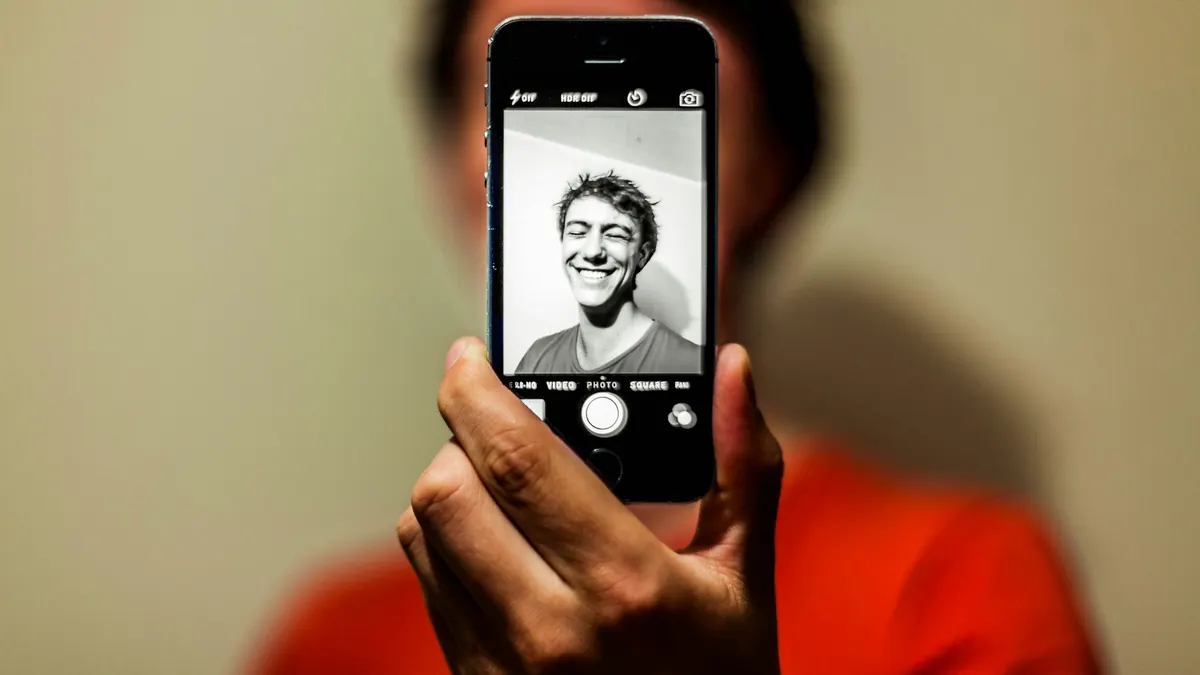
Passive liveness analyzes a selfie image or a short video without asking the person to do anything specific. The software looks for signs of an artifact rather than a face, such as the edge of a phone screen or a sheet of paper. The trade-off runs the other way: less effort for the user, but no live challenge an attacker has to answer. NIST’s 2023 evaluation of passive face PAD found that “many algorithms generate lower error rates when the input imagery is a video sequence” compared with a single still image.
The two aren’t exclusive: a system can ask for an active response and run passive checks on the same frames.
Presentation attacks vs. injection attacks
Attacks on liveness fall into two families, and a system can be strong against one and weak against the other.
Presentation attacks
A presentation attack happens in front of the camera. The attacker shows the device something that isn’t a live face: a printed photo, a photo or video replayed on another screen, or a mask. NIST’s 2023 face PAD evaluation tested attack types including photo print and replay attacks and flexible silicone masks.
Injection attacks
An injection attack skips the camera. The attacker feeds pre-recorded or synthetic video — including deepfakes — straight into the app, for example through a virtual camera or an emulated device. NIST describes injection attacks as inserting “modified or forged media between the capture point (e.g., a device) and the element conducting the comparison or other operation.”
FinCEN’s Alert FIN-2024-Alert004 (November 13, 2024) flags the same tactic. It notes that some identity verification solutions may flag “third-party webcam plugins, which can let a customer display previously generated video rather than live video,” and it lists a customer using a third-party webcam plugin during a live verification check as a red flag. NIST’s guidelines respond with a requirement: identity proofing providers “SHALL implement technical controls to increase confidence that digital media is being produced by a genuine sensor,” such as detecting “a virtual camera, device emulator, or a jailbroken device.”
How does liveness detection help stop deepfakes?
An injected deepfake has two hurdles. It has to get into the capture flow, and then it has to get past whatever presentation attack detection runs on it. NIST says live document capture and presentation attack detection mechanisms “do provide some protection from injection and forged media attacks by making the injection of viable forged media more challenging.” In the same passage, it adds that “even these mechanisms are not sufficient to address all possible cases of these kinds of attacks.”
Random, real-time prompts raise the cost of an attack, because a pre-recorded clip can’t anticipate them. FinCEN notes that even when criminals use tools to answer live prompts, “their responses may reveal inconsistencies in the deepfake identity,” and that some “may claim to be experiencing repeated technical glitches” to get around the check. We cover the full set of warning signs in 9 deepfake red flags to watch for at account opening.

How liveness detection is tested
The lab standard is ISO/IEC 30107-3:2023. It sets out “principles and methods for the performance assessment of presentation attack detection (PAD) mechanisms,” how to report results, and a classification of known attack types.
NIST’s biometric requirements for identity proofing say that when a provider collects and compares biometrics remotely, its PAD must meet an impostor attack presentation accept rate (IAPAR) below 0.07 — roughly, fewer than 7 in 100 impostor attack attempts accepted in testing — and that “all biometric presentation attack detection tests SHALL be conformant to ISO/IEC 30107-3:2023.” Providers must also have their biometric and attack detection algorithms “periodically tested by independent entities.” NIST writes these guidelines for “federal agencies, third-party Credential Service Providers (CSPs), and other organizations that provide or use identity proofing services,” so they’re a useful benchmark whether or not they apply to you directly.
One limit: the ISO/IEC 30107-3 summary says the standard considers attacks that “take place at the biometric capture device during presentation” and treats other attacks as out of scope. A strong presentation attack test result doesn’t, by itself, show how a system handles injection attacks. Those need their own controls.
NIST has also tested face PAD algorithms directly. Its September 2023 report measured 82 passive, software-based algorithms from 45 developers and found that accuracy varied widely across algorithms, use cases and presentation attack (PA) types. Several developers detected photo print and replay attacks and flexible silicone masks well, while “other PA types generated high detection error rates with all tested implementations.” As of October 2026, NIST’s Face Analysis Technology Evaluation (FATE) PAD page lists that evaluation track as closed.
The limits: no single check stops everything
Liveness detection answers one question. It doesn’t tell you whether the ID is genuine, whether the same person has applied before under another name, or whether the “phone” is really an emulator. That’s why NIST pairs PAD with document checks, injection controls and people: its forged media requirements say automated analysis “SHOULD be augmented by manual reviews to address detection errors.” A layered check can combine:
- Document evidence. Reading the ID’s data and checking it for signs of editing.
- Face match and liveness. Comparing the live selfie with the ID portrait, and confirming it’s live.
- Device and network signals. Virtual cameras, emulators, and risky networks such as virtual private networks (VPNs).
- Duplicate checks. The same face or document showing up on different applications. NIST says providers that run one-to-many face searches to find duplicates “SHALL NOT decline a user’s enrollment without a manual review” of the automated result.
- A human reviewer. Someone who can see why a case was flagged and make the call.

What to look for when choosing a liveness check
- Both attack families covered. Ask how the provider handles presentation attacks and injection attacks separately, including virtual camera and emulator detection.
- Test evidence you can read. Ask for ISO/IEC 30107-3 test reports: who tested, when, which attack types, and the error rates.
- Unpredictable prompts. If the check is active, the prompts should change every session.
- A path for real people who fail. Retries, plus a reviewer who sees the frames and scores rather than a bare pass or fail.
- Consent and retention. NIST’s guidelines require providers to “obtain consent from users prior to collecting and using biometric data.” Check how long liveness frames are kept and whether you can shorten that.
In Securely Verify’s identity verification, the applicant completes active liveness with random head movements that change every time, while anti-spoofing checks examine the frames for screens, printouts and masks. Those results sit next to the face match, device and network signals such as VPNs, and duplicate-face checks, and a reviewer sees scores and images side by side before deciding. Liveness frames are deleted 30 days after a decision by default. See the full flow on how it works.
If you want to see a liveness check from your applicant’s side, start a 7-day free trial — 20 verifications, no card required.
Related guides
Sources: SP 800-63A-4, Digital Identity Guidelines: Identity Proofing and Enrollment (NIST, July 2025); SP 800-63B-4, Digital Identity Guidelines: Authentication and Authenticator Management (NIST, July 2025); FinCEN Alert on Fraud Schemes Involving Deepfake Media Targeting Financial Institutions, FIN-2024-Alert004 (FinCEN, November 13, 2024); ISO/IEC 30107-1:2023, Biometric presentation attack detection — Part 1: Framework (ISO, August 2023); ISO/IEC 30107-3:2023, Biometric presentation attack detection — Part 3: Testing and reporting (ISO, January 2023); NIST IR 8491, Face Analysis Technology Evaluation (FATE) Part 10: Performance of Passive, Software-Based Presentation Attack Detection (PAD) Algorithms (NIST, September 2023); Face Analysis Technology Evaluation (FATE) PAD (NIST, accessed October 16, 2026). This article is general information, not legal or compliance advice.